
Shopper query: product page, category or article?
Author: WebGoodPeople
A shopper types a query. It could be in Google, in Yandex or in the search box on your site. The question is the same: which page of your store should answer it?
The query itself tells you. Below we go through three types of query on our Frontbox demo store (s1.webgoodpeople.com). It is our own test store for showing the storefront, not a client project, so the screenshots contain no client data. The store interface is in Russian, so each query is shown as typed, with a translation. All screenshots were taken on 14 October 2026.
Why start from queries, not pages
Catalog reviews usually start from pages: open a category, read the description, fix the title. That is useful, but it misses something. A page can be tidy and still answer the wrong question. And some queries may have no page at all.
A common picture looks like this. A query with an exact model opens a category, and the shopper has to find the product in a list. A "how to choose" question opens a product page, although the shopper has not decided what they need. They see something other than what they were looking for and go back to searching.
Starting from queries makes the check concrete: here is the query, here is the page that answers it now, and here is the page that should.
Three types of query
A model in the query: the product page answers
The query michelin primacy 4 contains a model name. The shopper has already chosen. They want the price, availability and delivery options, not a list of similar tires.
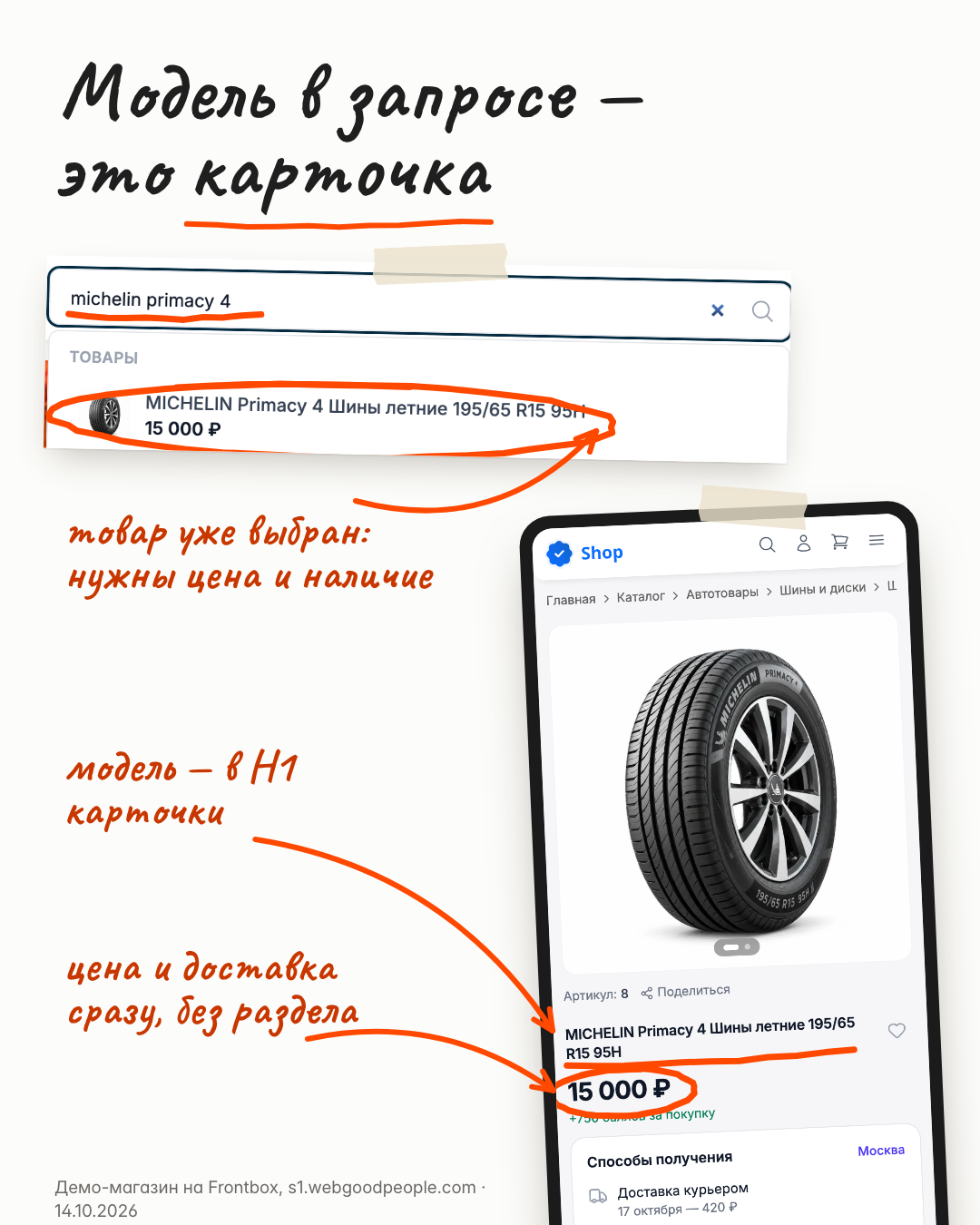
A model query in the demo store search and the product page on a phone. Source: Frontbox demo store, s1.webgoodpeople.com · 14.10.2026.
What to check in your store:
- the model, written the way shoppers write it, appears in the title, H1 and specs;
- price and delivery options are visible right away, without going through a category;
- the query opens one product page, not a category or several similar products.
Parameters in the query: a filtered category answers
The query летние шины r15 (summer tires r15) is two parameters: season and rim diameter. The shopper is still comparing. They need a list of suitable products, and a single product page will not help.
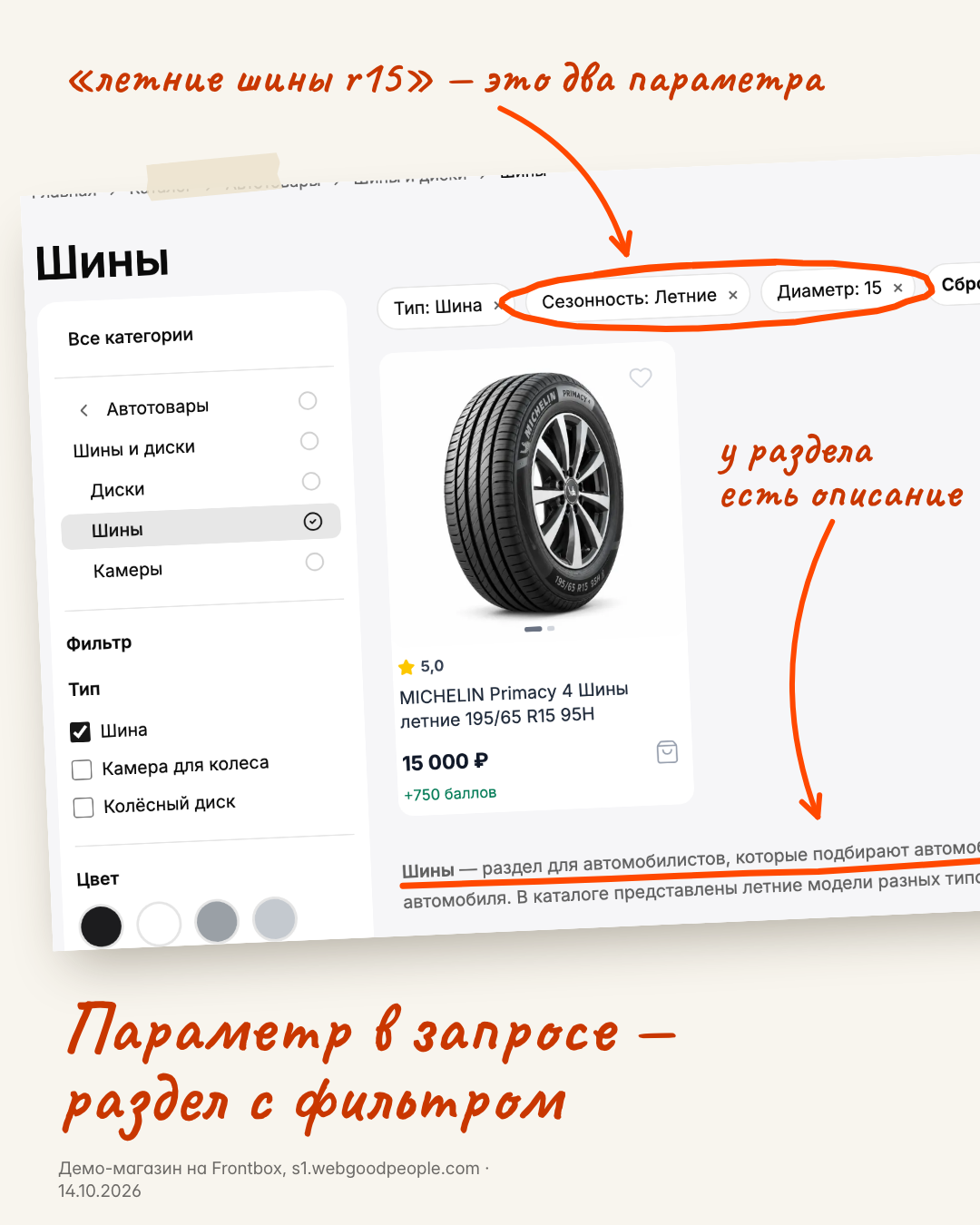
The Tires category filtered by season and diameter; the category has a description. Source: Frontbox demo store, s1.webgoodpeople.com · 14.10.2026.
What to check:
- there is a category or filter page that collects exactly these products;
- it has a clear name and its own title, not the generic catalog title;
- the category has a description that explains what it contains.
A question in the query: an article answers
The query как выбрать шины (how to choose tires) is a question. The shopper does not know yet which product they need. A product page or a category answers it poorly: first the shopper needs to understand sizes, seasons and ratings.
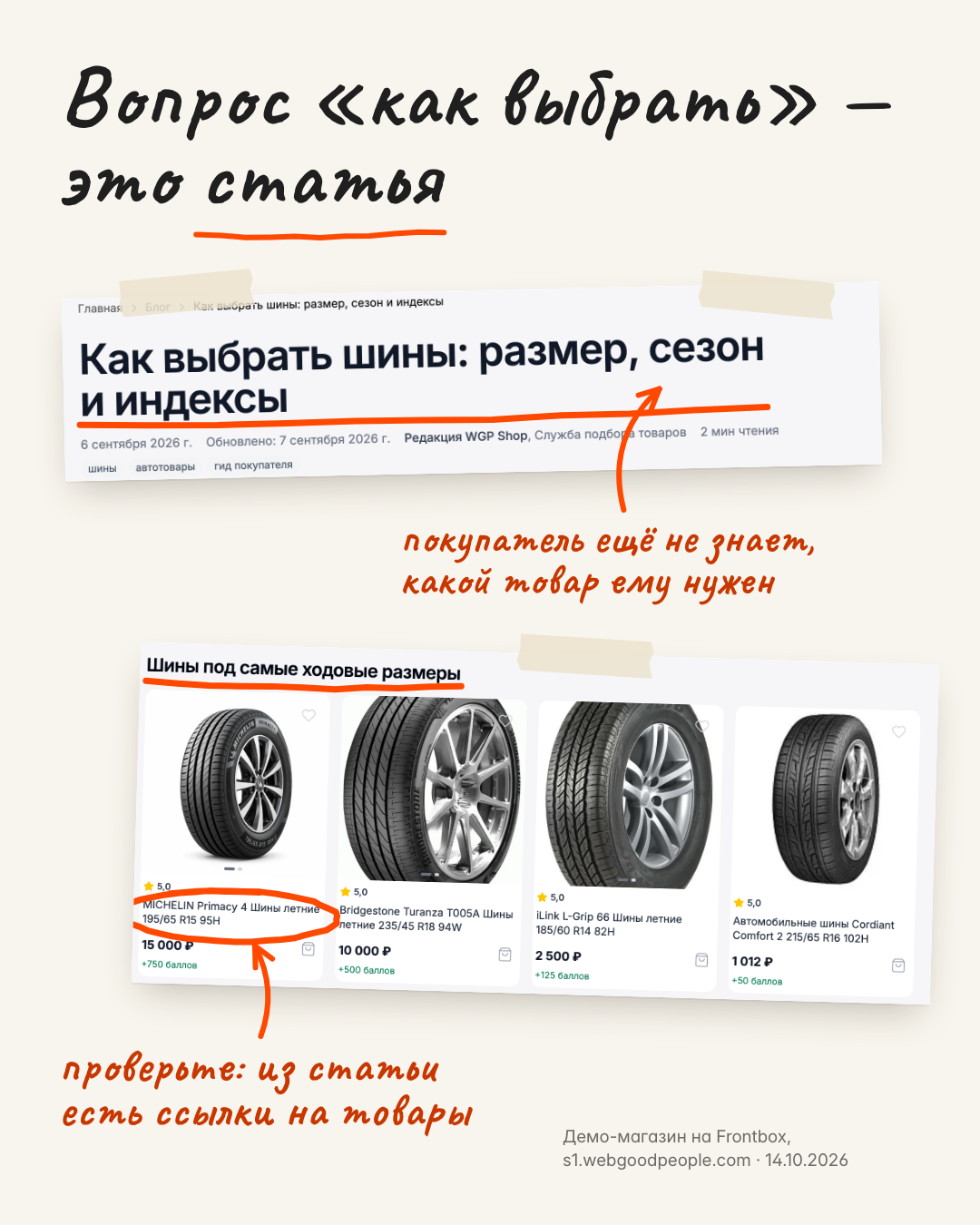
A blog article in the demo store with a block of tires in popular sizes and links to products. Source: Frontbox demo store, s1.webgoodpeople.com · 14.10.2026.
What to check:
- common shopper questions have articles or guides;
- the article links to categories and products, so there is somewhere to go after the answer;
- the article answers the question instead of repeating the catalog.
The fourth finding: "winter tires"
When we built the table for the demo store, one row stood out. The query зимние шины (winter tires) is a parameter, just like "summer". But the Season filter in the demo catalog only has Summer. No page answers this query.
This is the point of the check. The problem is not in a text or a title. The query exists and the page does not. You will not see this gap while looking at pages. It shows up only when you start from the query.
In the demo store this is simply how the test catalog is set up. In a live store a row like this is a question about the range or the category structure: either the products exist and the category does not, or the products do not exist and you need to decide what to show for that query.
The method: ten queries, one table
The check takes one sitting and does not require a full site audit.
- Write down ten queries that bring shoppers to you. Sources: Google Search Console, Yandex Webmaster, your analytics, the on-site search report.
- Mark the type of each one: model, parameter or question.
- Open the page that answers the query now.
- Write the result: the page exists and fits, the page is the wrong type, there is no page, or two pages compete for the query.
This is the table for the demo store:
| Query | Type | Page now | Result |
|---|---|---|---|
| michelin primacy 4 | model | product page | exists |
| летние шины r15 (summer tires r15) | parameter | Tires category with filters | exists |
| как выбрать шины (how to choose tires) | question | blog article | exists |
| зимние шины (winter tires) | parameter | catalog has summer tires only | no page |
Mark separately the cases where two pages fit one query, for example a category and a filter page with almost the same name. Pick one main page and make the other secondary: a different name, a different title and a link to the main one.
What to do with the findings
Every row marked "wrong type" or "no page" becomes a task:
- no page for a parameter: decide whether you need a category or a filter page, and what it should show;
- no page for a question: write an article and link from it to categories and products;
- wrong type: fix the title, H1 and description so the page answers its own type of query, and create the right page for the other query;
- two pages for one query: pick the main one and separate the names.
You end up with a short task list for the catalog instead of a vague "we should do some SEO". You can hand it to your team, a developer or a contractor, and check the result against the same table.
How this connects to Content Factory
Some tasks from the table are text: category and product descriptions, titles, H1s and other SEO fields. That is the job of our Content Factory for 1C-Bitrix catalogs. It prepares texts from catalog data, and every change can be reviewed side by side and restored to the previous version.
Articles for the blog are currently available in a limited mode, by agreement. Decisions about catalog structure, such as whether to add a winter tires category, stay with the store. We can help you work through them.
Send us your store and three queries
Send us your store URL, platform and three real customer queries. We will look at which pages should answer them and what is missing.
Read next
Articles on adjacent topics — from real projects.
Agree on acceptance before changing an online store
A recommended task acceptance process, illustrated with a hypothetical catalog filter change. Includes scope, responsibilities, evidence, and a practical checklist.
Blog · October 12, 2026Review AI product copy before updating your catalog
An editorial review process for AI product drafts, covering source material, unsupported claims, missing limitations, useful content, and checks after publication.
Blog · October 7, 2026Choose and define your first automation task
A practical framework for a first automation project, using an inquiry-to-CRM workflow to explain scope, rules, test scenarios, and ownership.
Newsletter
Headless migrations & AI pilots, unpacked
Every 2 weeks — real cases, numbers and architecture decisions. No marketing noise.